

CPT-Taxonomy Syncer pairs a custom post type with a taxonomy and keeps the two in step. Publishing a post creates a matching term, and creating a term creates a matching post. Each side stores its partner’s ID, so the link holds through title changes. You end up with a taxonomy that mirrors the post type, and you can query “everything tagged with this post” with normal taxonomy queries.
Features
- Two-way sync. Renaming a post renames its term, and renaming a term renames its post. Deleting a post deletes its term, but deleting a term moves its post to the trash so you can recover it.
- Block editor integration. A “Use synced relationship” toggle on the Query Loop block, plus a Relationship Query Loop variation, lists posts that share a term with the current post.
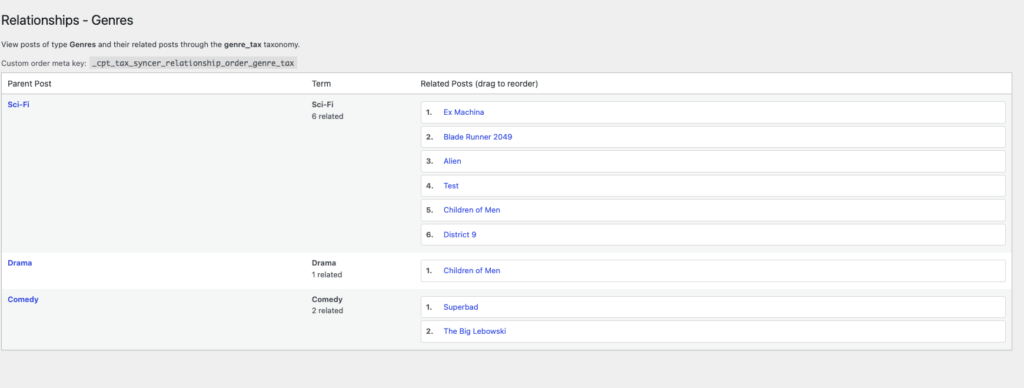
- Custom ordering. A Relationships screen under each synced post type lets you drag related posts into order. Posts with no saved order fall back to menu order.
- Previous/Next post navigation. Previous Post (Relationship) and Next Post (Relationship) blocks follow your custom order.
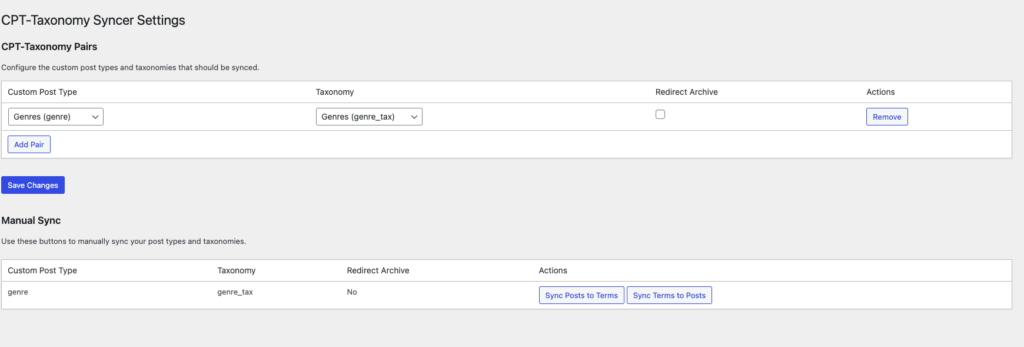
- Admin tools. Manage post type and taxonomy pairs under Tools > CPT-Tax Syncer, and bulk sync content that existed before you set up a pair. You can also 301 redirect each term archive to its linked post.
- Admin columns. A Synced Term column in the post list and a Linked Post box on the term edit screen.
- WP-CLI. A verify command checks a pair and removes links to deleted partners.
- Cached queries. The plugin caches relationship queries in transients and clears them when you save or delete a synced post or term.
Screenshots